Voice Journaling vs Typing vs Handwriting
Handwriting, typing, and voice journaling each shape your thoughts differently. Choose based on speed, feel, privacy, and what you want to do later.
The way you journal changes what gets captured.
Handwriting slows you down. Typing speeds you up. Voice lets the thought come out closer to the way it first appears.
None of these is universally better. They are different tools.
Handwriting: Best for Ritual
Handwriting is slow in a useful way.
It can help you settle, choose words carefully, and create a quiet moment away from screens. The physical page also carries context: the pressure of the pen, the messiness of a hard day, the shape of your mood.
Handwriting works well when:
- you want a screen-free ritual
- you enjoy the feel of paper
- you want to slow down
- you are writing a short reflection
- privacy risk is mostly physical, not digital
It works less well when your hand hurts, your thoughts move quickly, or you want to search old entries later.
Typing: Best for Speed and Editing
Typing is practical. It lets you get more words down, move sections around, paste quotes, add links, and revise without making a page messy.
Typing works well when:
- you think in paragraphs
- you want clean text
- you plan to edit
- you use a computer often
- you want search and backups
But typing can also make journaling feel like work. If your job already happens on a keyboard, a typed journal may feel too close to email, documents, and tasks.
Voice: Best for Unfiltered Processing
Voice journaling works when the thought needs to move.
You can walk, pace, drive, or sit in the dark and speak before the idea disappears. You do not have to spell, format, or decide whether the sentence is good.
Voice works well when:
- your thoughts race
- you lose your train of thought
- writing feels too slow
- you process by talking
- you want emotional honesty
- your hand or wrist hurts
The tradeoff is privacy. You need somewhere you can speak without performing for anyone nearby.
What Happens After Capture
The input method is only half the question.
The second half is what happens after the entry exists.
Paper entries are easy to write but hard to search.
Typed entries are easy to search but may feel overly polished.
Voice entries feel natural, but raw audio is hard to review unless it becomes a transcript.
That is why voice journaling works best when the app transcribes and organizes the recording. Otherwise, you may end up with a pile of audio files you never revisit.
Where Lound Fits
Lound is built for the voice path.
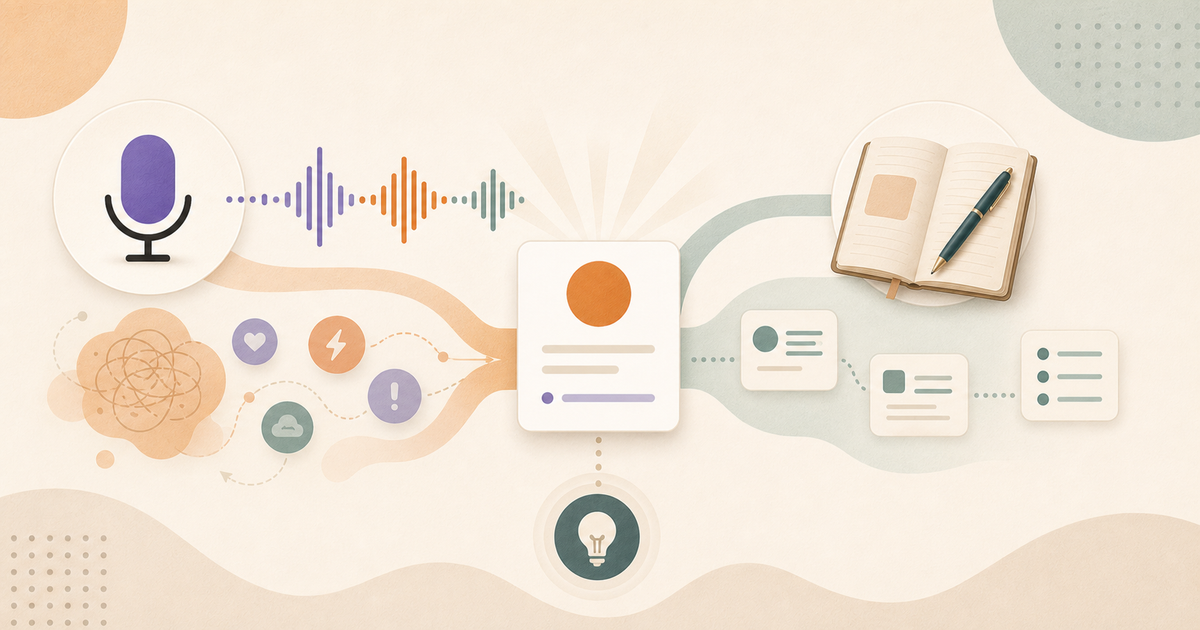
You speak naturally, then Lound turns the recording into a transcript, title, summary, mood, and themes, and over weeks and months it finds the patterns across your entries. It gives voice the retrieval benefits that usually belong to typed digital journals. You can type an entry when you want to, but the app is built around talking.
It is not trying to replace the physical beauty of a notebook. It is trying to solve a different problem: getting thoughts out fast and making them useful later.
A Simple Decision Rule
Use handwriting when you need to slow down.
Use typing when you need clean text.
Use voice when you need to get the thought out before it disappears.
You can switch between them. Your brain does not need one perfect system. It needs a path that works today.
Keep reading
For a stronger foundation, read The Ultimate Guide to Voice Journaling in 2026. For a nearby angle, continue with Voice vs. Written Journaling: Which Fits Your Brain?.
Questions people ask
Is voice journaling better than typing?
Voice journaling is better when your thoughts move quickly or you process by speaking. Typing is better when you want quiet, precise editing, or a written draft.
Is handwriting better for journaling?
Handwriting can feel more grounding and intentional. It is not always better if it causes pain, slows you down too much, or makes entries hard to search.
What is the fastest way to journal?
Voice is usually the fastest natural input method, followed by typing, then handwriting. The best method is the one that captures the thought before you lose it.